We use cookies 🍪 and it's our policy to let you know.

• 8 Key Phone Camera Settings That Affect Image Quality
• How to Prevent Skin Tone from Jumping from Warm to Cool
• Why Professionals Don't Shoot at Standard Zoom
• How to Shoot in High Quality
• What is HDR and Why It Ruins Beauty Photography
• What Exposure Value to Choose
• Why I Use Portrait Lenses + My Favorite Lens Brand
• How to Eliminate "Bounce" in Camera When Holding a Phone to a Client's Face
• How to Prevent Skin Tone from Jumping from Warm to Cool
• Why Professionals Don't Shoot at Standard Zoom
• How to Shoot in High Quality
• What is HDR and Why It Ruins Beauty Photography
• What Exposure Value to Choose
• Why I Use Portrait Lenses + My Favorite Lens Brand
• How to Eliminate "Bounce" in Camera When Holding a Phone to a Client's Face
1. Camera settings
• What criteria should I use to choose lighting equipment?
• How does the model's distance from the background affect the image? And what distance is best?
• I show the difference between an image with one light source and with five sources.
• How to use light to conceal bags under the eyes and unwanted facial contours.
• I clearly explain what key, modeling, backlight, and background lighting are and how to use them.
• Reflector - where to place it and what you can use instead.
• How does the model's distance from the background affect the image? And what distance is best?
• I show the difference between an image with one light source and with five sources.
• How to use light to conceal bags under the eyes and unwanted facial contours.
• I clearly explain what key, modeling, backlight, and background lighting are and how to use them.
• Reflector - where to place it and what you can use instead.
2. Light
• 3 Most Budget-Friendly Ways to Record Audio
• The Easiest Way to Record High-Quality Audio WITHOUT Using a Sound Card/Laptop/Headphones, Etc.!
• What Microphone Do I Use?
• How to Create Good Acoustics and Eliminate Echoes
• The Easiest Way to Record High-Quality Audio WITHOUT Using a Sound Card/Laptop/Headphones, Etc.!
• What Microphone Do I Use?
• How to Create Good Acoustics and Eliminate Echoes
4. Sound
• 7 new, up-to-date lighting schemes
• 3D schemes instead of the old 2D ones
• Links to equipment from trusted sellers
• We've added not only original lighting equipment but also their budget alternatives
• The scheme includes both original photos and color-corrected versions, so you can understand what the original and final processed images should look like
• Now you can conveniently select only the set of lights that matches your favorite scheme, eliminating the guesswork
• Detailed camera and lighting settings to ensure your image is 100% identical
• 3D schemes instead of the old 2D ones
• Links to equipment from trusted sellers
• We've added not only original lighting equipment but also their budget alternatives
• The scheme includes both original photos and color-corrected versions, so you can understand what the original and final processed images should look like
• Now you can conveniently select only the set of lights that matches your favorite scheme, eliminating the guesswork
• Detailed camera and lighting settings to ensure your image is 100% identical
3. Guide "Lighting Schemes + Equipment"
• How to create a comfortable and trusting environment for a model in 3 steps
• How to get the right emotion from a model in the frame
• My top music tracks to relax a model during a shoot
• Where to find models for the procedure and shoot: 7 free and paid methods
• How to get the right emotion from a model in the frame
• My top music tracks to relax a model during a shoot
• Where to find models for the procedure and shoot: 7 free and paid methods
5. How to help a model feel more at ease
• My life hacks for achieving seamless transitions in before/after videos
• What I do to ensure the model matches the lyrics in the video
• How to check if the transition is successful while filming
• 3 transition options for viral REELS
• What I do to ensure the model matches the lyrics in the video
• How to check if the transition is successful while filming
• 3 transition options for viral REELS
7. Transitions
• My TOP 6 fail-safe poses for beauty shoots
• How posing in photos differs from video
• What to do if a model can't handle your assignment
• How to find your unique style and set trends
• Where I look for references and inspiration for shoots
• How posing in photos differs from video
• What to do if a model can't handle your assignment
• How to find your unique style and set trends
• Where I look for references and inspiration for shoots
6. Posing
• How I prepare my client's skin before a shoot to avoid retouching
• How to photograph clients with light-sensitive eyes
• What I do with healed permanent makeup to make it look great in the frame
• TOP 3 angles for shooting eyebrows (with screen sharing)
• My secrets for shooting with a ring light
• Slow motion. All the subtleties and mistakes in slow motion
• Frame rate. Which one to choose: 120 vs. 240 fps
• How to get rid of light flickering in video
• How to photograph clients with light-sensitive eyes
• What I do with healed permanent makeup to make it look great in the frame
• TOP 3 angles for shooting eyebrows (with screen sharing)
• My secrets for shooting with a ring light
• Slow motion. All the subtleties and mistakes in slow motion
• Frame rate. Which one to choose: 120 vs. 240 fps
• How to get rid of light flickering in video
8. Shooting close-ups
• Why does a black background appear gray in a frame and how to fix it
• How to film yourself with a rear-facing camera and still see what's happening in the frame
• Which tripods to choose for lighting equipment
• Composition: what distance to leave overhead/what axis to position the eyes/how close-up or long-shot to choose for expert and beauty shoots
• My tips for scripting, presentation, and high reach
• What is viewport depth and how does it affect your video's ranking in recommendations
• How to keep viewers' attention in a video
• How to make a cover photo for REELS and why using a still from a video on the cover is a crime
• Demonstration of my complete shooting algorithm: from turning on electrical appliances to the end of the video shoot
• How to film yourself with a rear-facing camera and still see what's happening in the frame
• Which tripods to choose for lighting equipment
• Composition: what distance to leave overhead/what axis to position the eyes/how close-up or long-shot to choose for expert and beauty shoots
• My tips for scripting, presentation, and high reach
• What is viewport depth and how does it affect your video's ranking in recommendations
• How to keep viewers' attention in a video
• How to make a cover photo for REELS and why using a still from a video on the cover is a crime
• Demonstration of my complete shooting algorithm: from turning on electrical appliances to the end of the video shoot
9. How to film yourself
• 5 Key Factors for Shooting in the Highest Quality on a Phone
• What Resolution to Upload Reels in: 1080p vs. 4K
• Which Fan to Choose for Beauty Photography
• When is it Best to Handhold a Video Light and When is it Best to Mount a Tripod?
• How to Hold and Direct a Video Light Manually
• Where I Get My Hair/Makeup/Transition Ideas, etc.
• Where I Get My Outfits for Shoots
• My 6 Rules for Shooting in Slow Motion
• Backstage from My Shoot: How I Work with a Model in 15 Steps
• What Resolution to Upload Reels in: 1080p vs. 4K
• Which Fan to Choose for Beauty Photography
• When is it Best to Handhold a Video Light and When is it Best to Mount a Tripod?
• How to Hold and Direct a Video Light Manually
• Where I Get My Hair/Makeup/Transition Ideas, etc.
• Where I Get My Outfits for Shoots
• My 6 Rules for Shooting in Slow Motion
• Backstage from My Shoot: How I Work with a Model in 15 Steps
10. Portrait photography
• Retouching in free mobile apps
• How to maintain image quality after retouching
• 4-step skin spot treatment without presets and filters
• How to remove redness from skin in 1 minute
• Removing blemishes (showing on complex source images)
• How to work with layers
• Knowing when to stop
• How to export a file correctly
• How to maintain image quality after retouching
• 4-step skin spot treatment without presets and filters
• How to remove redness from skin in 1 minute
• Removing blemishes (showing on complex source images)
• How to work with layers
• Knowing when to stop
• How to export a file correctly
1. Skin retouching
• My Favorite Free Collage Apps
• How to Make a Borderless Before/After Collage
• How to Make a Classic Collage with Borders
• How to Split a Photo into Two for a Long Horizontal Effect in a Carousel Post
• How to Make a Borderless Before/After Collage
• How to Make a Classic Collage with Borders
• How to Split a Photo into Two for a Long Horizontal Effect in a Carousel Post
4. Collaging
• How to change facial features without the "plastic" function
• How to lighten the whites of your eyes and eliminate redness
• How I do "Fox" eye makeup
• What is dodge & burn and how to do all your retouching with just this function
• Reconstructing facial contours
• Reconstructing drooping corners of your lips
• Contouring + Highlighting using my method
• How to apply makeup and reshape your lips with retouching
• All retouching manually, without presets or filters, in a free app
• How to lighten the whites of your eyes and eliminate redness
• How I do "Fox" eye makeup
• What is dodge & burn and how to do all your retouching with just this function
• Reconstructing facial contours
• Reconstructing drooping corners of your lips
• Contouring + Highlighting using my method
• How to apply makeup and reshape your lips with retouching
• All retouching manually, without presets or filters, in a free app
2. Makeup retouching
• How to change the color of your irises (any color of the rainbow)
• How to make your irises multicolored (2 or more colors)
• How to create dramatic sparkling highlights in your eyes
• How to highlight the iris rim
• Retouching demonstration on different eye colors
• How to make your irises multicolored (2 or more colors)
• How to create dramatic sparkling highlights in your eyes
• How to highlight the iris rim
• Retouching demonstration on different eye colors
3. Retouching the irises
• How I get photos of even better quality than before processing
• How to get rid of dark, unsightly post-processing on new iPhones (2 methods)
• My top apps for color correction
• "Curves" - what they are and how I use them
• How to fix a photo with green/cool/yellow skin tones
• How to give skin a tanned effect, apply blush, and contour
• How to bring all photos in your profile grid to a unified style so they complement each other
• How to predict whether photos will look good in your feed before you post
• How to make a cool, quick color correction using your phone's native editor
• How to locally change the color of an object/clothing in a photo
• How to create a professional-quality effect
• What should be the standard for rich, warm skin in a photo? What should you strive for?
• How to get rid of dark, unsightly post-processing on new iPhones (2 methods)
• My top apps for color correction
• "Curves" - what they are and how I use them
• How to fix a photo with green/cool/yellow skin tones
• How to give skin a tanned effect, apply blush, and contour
• How to bring all photos in your profile grid to a unified style so they complement each other
• How to predict whether photos will look good in your feed before you post
• How to make a cool, quick color correction using your phone's native editor
• How to locally change the color of an object/clothing in a photo
• How to create a professional-quality effect
• What should be the standard for rich, warm skin in a photo? What should you strive for?
5. Photo color correction
Part 1
• I recommend the 2 best neural networks for neurophoto sessions featuring your face
• What is a prompt and how to write one
• Where to find ready-made prompts for a neural network
• How to create animated neurovideos from neurophotos
NEW I've added an entire section in the chat where participants and I exchange the best prompts and ideas for neurophotos
• This lesson doesn't require any previous neural network skills; even a child can do it
Part 2
• Where to download stylish fonts
• How to upload your own fonts to apps
• My favorite cover design app, Reels
• Where do I get stylish 3D graphic elements
• How to change the perspective of graphic elements
• How and in which app can I remove backgrounds from images for free?
• I recommend the 2 best neural networks for neurophoto sessions featuring your face
• What is a prompt and how to write one
• Where to find ready-made prompts for a neural network
• How to create animated neurovideos from neurophotos
NEW I've added an entire section in the chat where participants and I exchange the best prompts and ideas for neurophotos
• This lesson doesn't require any previous neural network skills; even a child can do it
Part 2
• Where to download stylish fonts
• How to upload your own fonts to apps
• My favorite cover design app, Reels
• Where do I get stylish 3D graphic elements
• How to change the perspective of graphic elements
• How and in which app can I remove backgrounds from images for free?
6. Neural Networks + Reels Covers
• A step-by-step demonstration of editing my beauty reels from scratch in 13 steps
• My signature color correction for beauty videos + my favorite filters
• The most select video effects that I frequently use
• How to achieve dynamism in videos for repeat viewings
• How I use the keyframe tool in a beauty video
• How to create a seamless transition
• What quality should I save my videos in: 1080p or 4K
• Where to get music for videos
• My signature color correction for beauty videos + my favorite filters
• The most select video effects that I frequently use
• How to achieve dynamism in videos for repeat viewings
• How I use the keyframe tool in a beauty video
• How to create a seamless transition
• What quality should I save my videos in: 1080p or 4K
• Where to get music for videos
5. Editing a beauty video
• Step-by-step demonstration of editing my expert reels from scratch
• How to achieve high dynamics in a video to make it interesting to watch
• How to create stylish overlay animations
• My signature color correction for an expert reel
• Where I find and download stylish fonts
• Subtitles: how to upload your own font in CapCut, the most stylish subtitle animation, and where they should be placed
• Top sound effects I use
• How to work with the "mask" function
• How to achieve high dynamics in a video to make it interesting to watch
• How to create stylish overlay animations
• My signature color correction for an expert reel
• Where I find and download stylish fonts
• Subtitles: how to upload your own font in CapCut, the most stylish subtitle animation, and where they should be placed
• Top sound effects I use
• How to work with the "mask" function
6. Editing an expert video
• What does the diamond symbol ◊ mean in editing and why is it needed?
• How to create a left-to-right transition in editing
• How to create a zoom-in/zoom-out effect
• How to create a "super zoom" effect like in the video 👈
• How to create a "floating" effect for graphic elements
• How to remove video shake in editing
• How to permanently remove the CapCut end screen
• How to create a left-to-right transition in editing
• How to create a zoom-in/zoom-out effect
• How to create a "super zoom" effect like in the video 👈
• How to create a "floating" effect for graphic elements
• How to remove video shake in editing
• How to permanently remove the CapCut end screen
1. Keyframe
The tool I use in editing every video!
With it, I'll show you:
• How to create a borderless video collage
• How to create a dark haze at the bottom of a video (for better subtitle visibility and to eliminate visual noise in the frame)
• How to create a before/after effect in a video
With it, I'll show you:
• How to create a borderless video collage
• How to create a dark haze at the bottom of a video (for better subtitle visibility and to eliminate visual noise in the frame)
• How to create a before/after effect in a video
2. Mask Tool
All retouching is performed exclusively with free features 👇
• Quick face retouching with 2 features in 2 minutes
• Full face retouching with 8 features in 6 minutes
• Skin retouching
• Whitening the whites of the eyes
• How to create dramatic highlights on the irises
• Face contouring
• Light makeup
• Hair color correction
• Quick face retouching with 2 features in 2 minutes
• Full face retouching with 8 features in 6 minutes
• Skin retouching
• Whitening the whites of the eyes
• How to create dramatic highlights on the irises
• Face contouring
• Light makeup
• Hair color correction
3. Video retouching
• How I improve video quality and detail before uploading to Reels
• My top-used filters in Capcut
• How to adjust white balance if skin in a video comes out green/cold/yellow
• Color correction for a beauty video
• How to use curves and what they are used for
• Color correction for expert videos
• How to fix videos with incorrect exposure
• What color settings do I use for color correction for live content/stories/unboxing videos
• My top-used filters in Capcut
• How to adjust white balance if skin in a video comes out green/cold/yellow
• Color correction for a beauty video
• How to use curves and what they are used for
• Color correction for expert videos
• How to fix videos with incorrect exposure
• What color settings do I use for color correction for live content/stories/unboxing videos
4. Video color correction
• How a beauty professional should shoot with a professional camera
• Which camera and lens to choose for beauty shoots
• How to use a camera
• What key settings should you set?
• The fastest way to transfer photos from a camera to a phone
• @missiris_pm's personal tips for shooting portraits
• Which camera and lens to choose for beauty shoots
• How to use a camera
• What key settings should you set?
• The fastest way to transfer photos from a camera to a phone
• @missiris_pm's personal tips for shooting portraits
1. A lesson on shooting with a professional camera from Ira Korob


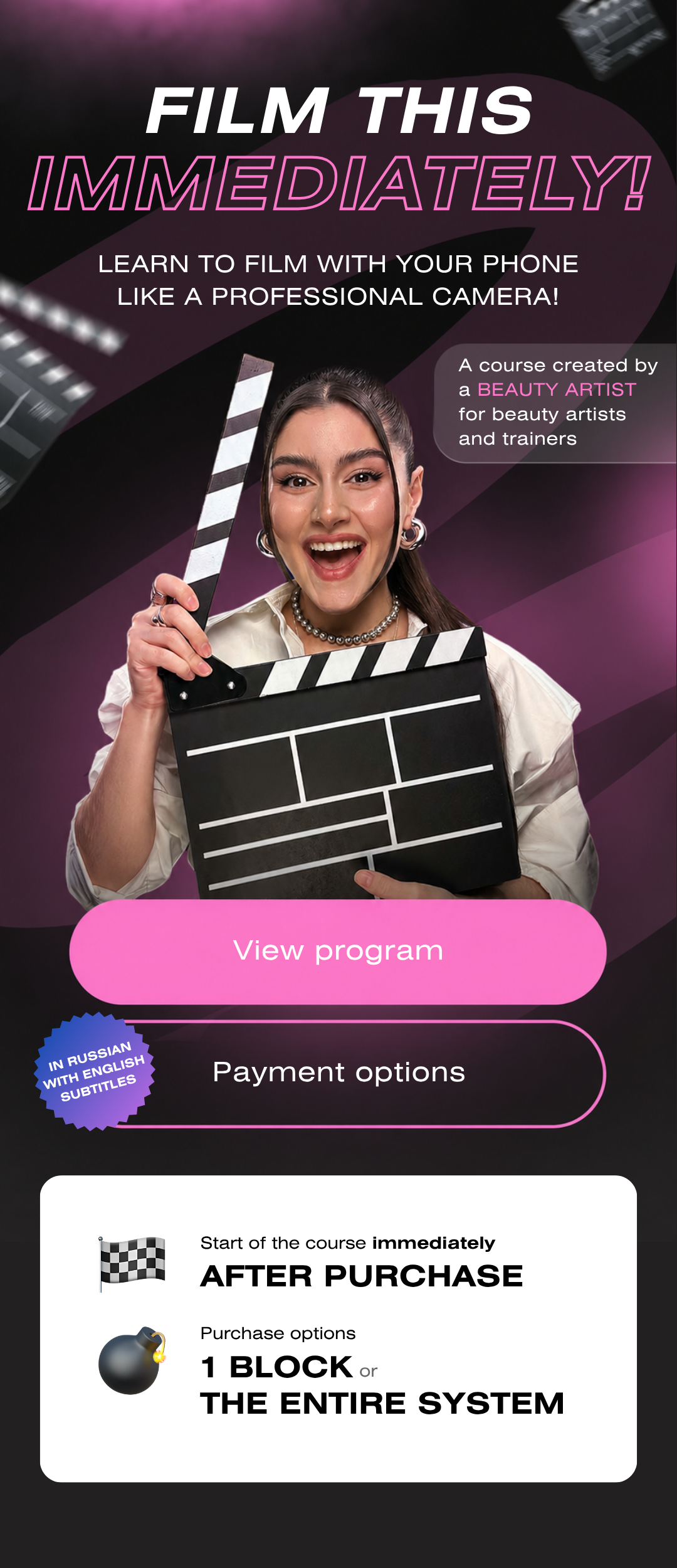
You can create a high-quality picture with just a lamp and a phone!
One of the main goals of the "Shoot It Now" course is to demonstrate that you can start shooting beautifully and professionally right now, using the tools you have at hand. I didn't always have a lot of expensive equipment, but even then, with only ring lights, I created interesting lighting setups that set my work apart from other professionals in the same field.
One of the main goals of the "Shoot It Now" course is to demonstrate that you can start shooting beautifully and professionally right now, using the tools you have at hand. I didn't always have a lot of expensive equipment, but even then, with only ring lights, I created interesting lighting setups that set my work apart from other professionals in the same field.
All applications used in the course are FREE!
The core functionality I use in every project is free, from the shooting app to the editing and retouching apps. You won't need to purchase anything else to get guaranteed results. Several optional features may require a fee; you can use them at your own discretion.
The core functionality I use in every project is free, from the shooting app to the editing and retouching apps. You won't need to purchase anything else to get guaranteed results. Several optional features may require a fee; you can use them at your own discretion.
The "Shoot It Now" course focuses on facial photography, specifically the portrait area.
We'll explore two genres: beauty photography for clients and expert self-portrait photography.
Either way, the course will greatly enhance your filming skills, as you'll learn proper camera settings, how to upload high-quality video, lighting schemes, and editing tricks. 🔥 The course might even inspire you to create expert-level videos in your niche—this will help attract new subscribers and students to your courses. The most important thing you'll learn in this course is how to shoot with a phone, just like with a professional camera. What you plan to shoot is secondary.
We'll explore two genres: beauty photography for clients and expert self-portrait photography.
Either way, the course will greatly enhance your filming skills, as you'll learn proper camera settings, how to upload high-quality video, lighting schemes, and editing tricks. 🔥 The course might even inspire you to create expert-level videos in your niche—this will help attract new subscribers and students to your courses. The most important thing you'll learn in this course is how to shoot with a phone, just like with a professional camera. What you plan to shoot is secondary.
My course is suitable for everyone!
If you don't know how to shoot yet, this course will help you learn the basics. You'll finally get started and get your first high-quality results!
If you already know how to shoot and the basics, this course will teach you my personal tips and tricks and allow you to adopt them in your own work.
If you don't know how to shoot yet, this course will help you learn the basics. You'll finally get started and get your first high-quality results!
If you already know how to shoot and the basics, this course will teach you my personal tips and tricks and allow you to adopt them in your own work.
My course completely answers all questions!
I approached the creation of the "Take It Off Now" course very structured. Each lesson fully answers all questions that may arise.
Therefore, the course does not include such an option. Course participants have access to a general chat where you can share experiences, answer questions from other participants, and receive feedback.
I approached the creation of the "Take It Off Now" course very structured. Each lesson fully answers all questions that may arise.
Therefore, the course does not include such an option. Course participants have access to a general chat where you can share experiences, answer questions from other participants, and receive feedback.
Access to the course, regardless of the tariff, is for 90 days.
You can extend your access to lessons once it expires directly in your personal account in the purchases section for another 60 days.
You can extend your access to lessons once it expires directly in your personal account in the purchases section for another 60 days.
Yes! We offer payment in installments with no commissions or overpayments for citizens of other countries.
You can pay the entire amount in equal installments. To do this, please contact our customer service team via Telegram @rudian_ru. We will help you create a payment schedule and create a payment link for you.
You can pay the entire amount in equal installments. To do this, please contact our customer service team via Telegram @rudian_ru. We will help you create a payment schedule and create a payment link for you.
👉🏻To begin choosing a course and tariff on the website
👉🏻Next, enter your information (full name, phone number, and email address)
👉🏻In the payment window that opens, select the "Bank Card NOT from the Russian Federation" payment method, then proceed as you would with a regular bank card on the website.
☝️If an error occurs, use a different method.
Everything is the same, but on the payment page, select "Alternative payment methods 👉🏻 Bank Card NOT from the Russian Federation"
👉🏻Next, enter your information (full name, phone number, and email address)
👉🏻In the payment window that opens, select the "Bank Card NOT from the Russian Federation" payment method, then proceed as you would with a regular bank card on the website.
☝️If an error occurs, use a different method.
Everything is the same, but on the payment page, select "Alternative payment methods 👉🏻 Bank Card NOT from the Russian Federation"

